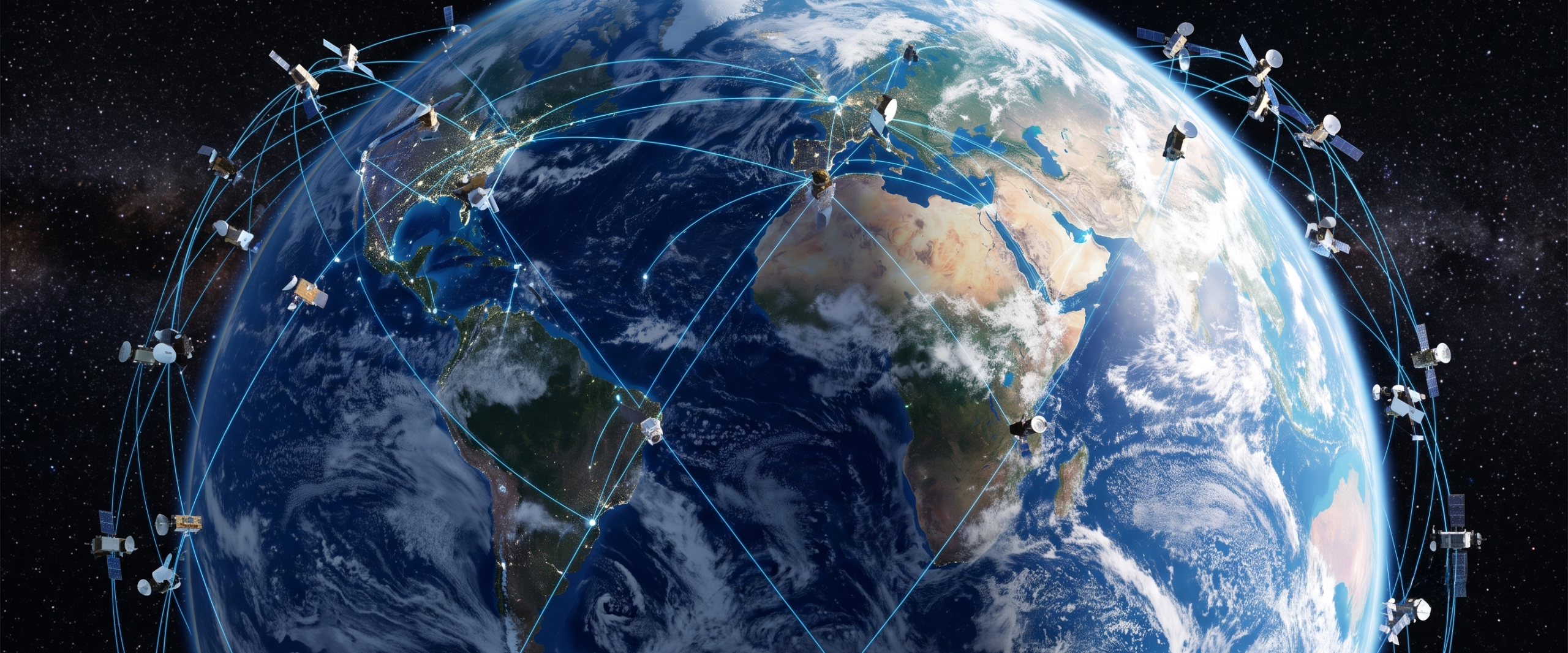
Non-Terrestrial Network (NTN) device testing presents a challenge that ground-based RF labs were never designed to solve: how do you validate a device’s behaviour against a satellite link when the satellite is moving at several kilometres per second, the one-way delay can exceed 100 milliseconds, and the Doppler shift can swing tens of kilohertz within a single pass? The Pico5G Series addresses this directly with a dedicated NTN test environment that emulates satellite motion — including delay and Doppler — while keeping the RF, protocol stack, and device behaviour real.
The Pico5G‘s NTN capability is available on the Pico5G Lite, Plus, Pro, and Ultra models. Supported today across both 5G NR NTN and NB-IoT NTN (Narrowband Internet of Things Non-Terrestrial Network) cells, the suite covers all three primary orbit classes: Low Earth Orbit (LEO), Medium Earth Orbit (MEO), and Geostationary Orbit (GEO). Each orbit class presents a distinct combination of delay, Doppler behaviour, and pass geometry, and the Pico5G models all three accurately.
This article walks through what the Pico5G emulates, what remains real hardware and real protocol, and how engineers actually use the pass designer and the three built-in NTN test cases to get a pass/fail verdict against a device under test.
What the Three Orbit Classes Look Like on the Bench
Understanding the physical differences between LEO, MEO, and GEO is the starting point for NTN device testing, because those differences dictate what a device must handle.
GEO satellites sit at approximately 35,786 km altitude. The one-way propagation delay is approximately 120 ms, the satellite is effectively always in view, and neither Doppler shift nor delay change significantly over time.1 A device attached to a GEO link operates under high, stable latency — demanding for real-time applications, but the NTN protocol challenges are relatively bounded.
MEO satellites orbit at roughly 8,000 km altitude with approximately 28 ms one-way delay. Passes are slow by comparison to LEO, but Doppler shift and delay variation are non-trivial and must be compensated.1
LEO is where the most demanding NTN device testing happens. At approximately 550 km altitude, one-way delay is 2 to 6 ms — close to terrestrial 5G figures — but a pass lasts only minutes, and the Doppler swing is large. On a live Pico5G bench, a LEO pass produced a Doppler swing of ±36 kHz.1 A device must track that shift continuously, maintain uplink pre-compensation, and handle the pass ending abruptly at the horizon.
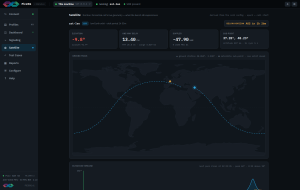
Fig 1. The Pico5G Satellite GUI showcasing satellite motion emulation.
What Is Emulated and What Is Real
This distinction matters when writing a test report or interpreting results.
- Emulated: Satellite motion — the elevation angle, azimuth, one-way delay, range, and Doppler shift at the carrier frequency — is computed from the pass geometry you configure. The Pico5G applies matching delay and Doppler to the signal in real time, so the device experiences physically correct satellite dynamics without a satellite overhead.
- Real: The RF signal, the full 3GPP (Third Generation Partnership Project) protocol stack, System Information Block 19 (SIB19), Random Access Channel (RACH) procedures, Radio Resource Control (RRC) signalling, and the device’s own timing advance computation are all live. Testing is run against real hardware: either a Pico5G UE (User Equipment) emulator or an actual NTN handset or module connected over the air.1 There is no simulation of the device side — the device under test is the real thing responding to a real cell under emulated satellite conditions.
This means a failure in RACH or RRC during a pass is a genuine protocol failure in the device, not an artefact of the test environment.
The Satellite View and Dashboard
The Pico5G provides a dedicated Satellite view that displays elevation angle, azimuth, one-way delay, range, and Doppler at the carrier frequency, all updating in real time.1 A world map shows the satellite’s sub-point and ground track, so the engineer can see where in the orbit the emulated satellite currently sits relative to the ground station.
On the main Dashboard, a live satellite strip shows a countdown to the next horizon crossing.1 For LEO passes, which can last only a few minutes, this countdown is operationally useful — it tells you when the pass window opens and how long you have before the link drops.
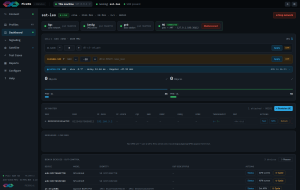
Fig 2. Dashboard view when running the Pico5G Satellite.
Designing a Pass and Using Time Compression
The built-in pass designer lets an engineer define a pass by setting peak elevation, start elevation, and altitude, then preview the resulting geometry before flying it on a live cell.1 This means you can author a pass tailored to a specific orbital scenario — a low-elevation grazing pass, a high-elevation overhead pass — without needing orbital mechanics software or external tooling.
One of the more practical features for lab workflows is time compression. A real LEO pass at 550 km altitude lasts on the order of 10 minutes. The Pico5G can compress a pass by up to 10× while keeping delay and Doppler physically correct throughout.1 The device experiences the same dynamics — the same Doppler ramp, the same delay change — just accelerated. This matters because it means you can run multiple passes in the time a single real pass would take, without sacrificing physical accuracy.
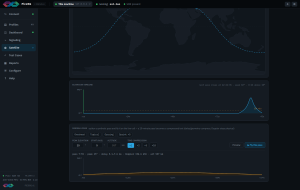
Fig 3. Designing a pass and using time compression in the Pico5G Satellite GUI.
The Three Built-In NTN Test Cases
The Pico5G includes three ready-made NTN test cases, each producing a binary pass/fail verdict.1
Satellite pass validates a device’s ability to attach, maintain the link under evolving delay and Doppler, and handle the pass ending at the horizon. This is the fundamental NTN connectivity test.
Ephemeris re-sync tests how quickly and correctly a device updates its timing and frequency compensation after receiving new ephemeris data. On a live Pico5G bench, a device re-synced within 1 second of an ephemeris update.1 The test case confirms that behaviour is within specification.
Coverage window validates device behaviour around the transition into and out of satellite coverage — attach, re-attach, and handover behaviour at the boundary of a pass window.
All three test cases are deterministic: the same pass geometry, the same ephemeris input, the same result. That determinism is what makes the pass/fail verdict meaningful and reproducible across test runs or between devices.

Fig 4. Pico5G Satellite test cases.
GNSS Error Injection
The suite also exposes a GNSS (Global Navigation Satellite System) error axis, which allows an engineer to feed the device a stale or incorrect position and observe how uplink pre-compensation degrades as the positional error increases.1 This is relevant for devices in environments where GNSS fix quality is variable — agricultural machinery, maritime, or remote industrial deployments — and tests whether the device’s NTN pre-compensation remains within acceptable bounds under realistic GNSS conditions rather than perfect ones.
Which Pico5G Models Support NTN Testing
NTN testing is available on four of the five Pico5G models: the Pico5G Lite, Plus, Pro, and Ultra.1 All four support both 5G NR NTN and NB-IoT NTN cells. The Pico5G IoT is a 4G-only platform and does not support NTN.1
The right model depends on throughput requirements and the number of RF channels needed for a given test setup. For teams running initial NTN conformance checks on a single device, the Pico5G Lite is a cost-effective entry point. For high-throughput 5G NR NTN validation or multi-channel scenarios, the Pro or Ultra provides the necessary RF and compute headroom.
Conclusion
NTN device testing requires accurately emulating satellite dynamics — LEO Doppler swings, GEO propagation delay, MEO pass geometry — while keeping the device-side RF and protocol behaviour real. The Pico5G Series does this through a combination of a configurable pass designer, real-time Satellite view telemetry, time compression up to 10×, GNSS error injection, and three deterministic test cases with pass/fail verdicts. Engineers can design and run a complete NTN test sequence in a lab in the time a single real satellite pass would take overhead.
If your team is validating NTN-capable devices and needs a concrete workflow to get started, the Pico5G product page has full technical specifications. If your timeline or budget doesn’t support in-house equipment procurement right now, Nutaq’s Testing as a Service (TaaS) offering gives you access to the same test capability without the capital outlay. To discuss your specific device and test requirements, reach out through nutaq.com/contact-us/.
Frequently Asked Questions
Q: What does the Pico5G actually emulate in NTN device testing, and what remains real hardware?
The Pico5G emulates satellite motion — elevation, azimuth, one-way propagation delay, range, and Doppler shift at the carrier — computed from the pass geometry you configure. What is real: the RF signal, the full 3GPP protocol stack, SIB19, RACH procedures, RRC signalling, and the device’s timing advance computation. The device under test is real hardware (either a Pico5G UE emulator or a commercial NTN handset or module) responding to a live cell under emulated satellite conditions.
Q: Which Pico5G models support NTN testing, and which do not?
NTN testing is supported on the Pico5G Lite, Plus, Pro, and Ultra. These models support both 5G NR NTN and NB-IoT NTN cells across LEO, MEO, and GEO orbit classes. The Pico5G IoT does not support NTN — it is a 4G-only platform (LTE, LTE-M, NB-IoT) with no 5G capability.
Q: What are the three built-in NTN test cases and what does each one validate?
The three ready-made NTN test cases are: (1) Satellite pass — validates device attach, link maintenance under dynamic delay and Doppler, and graceful handling of the pass ending at the horizon; (2) Ephemeris re-sync — validates how quickly and correctly a device updates timing and frequency compensation after receiving new ephemeris data (a live bench test measured re-sync within 1 second); and (3) Coverage window — validates device attach, re-attach, and transition behaviour at the boundary of a coverage window. Each test case produces a binary pass/fail verdict and is deterministic across runs.
Q: What is the purpose of the time compression feature in the Pico5G pass designer?
Time compression allows a pass to be run at up to 10× real-time speed while delay and Doppler remain physically correct throughout. A real LEO pass at low altitude lasts only a few minutes; time compression lets engineers run multiple passes in the time a single real pass would take, accelerating test throughput without sacrificing the physical accuracy of the emulated satellite dynamics.
Q: What is the GNSS error axis used for in NTN testing?
The GNSS error axis lets an engineer feed the device under test a stale or inaccurate position and observe how the device’s uplink pre-compensation degrades as positional error increases. This tests NTN behaviour under realistic GNSS conditions — relevant for devices deployed in environments where GNSS fix quality is inconsistent, such as remote industrial, agricultural, or maritime applications.
──────────────────────────────────────────────────
References
- “5G NTN Testing with Pico5G: Validate NR NTN, NB-IoT NTN…” Nutaq Technologies Inc.